
Download Auto Clicker - Macro Master – Automation Tool, Productivity, Utility, Macro Master
Overview
Auto Clicker - Macro Master is a mobile automation tool designed to streamline repetitive tasks by simulating mouse clicks with precision. The app targets users seeking to reduce manual input in both gaming and productivity workflows, offering a solution for those who perform frequent, repetitive actions on their smartphone screens. Its core purpose lies in enhancing efficiency by automating click sequences, thereby freeing users to focus on more complex or strategic tasks. The app is particularly useful for individuals engaged in tasks such as data entry, form filling, or in-game actions that require repeated interactions.
While the developer’s background is not publicly disclosed, the app’s functionality suggests a focus on utility and user-centric design. Real-world applications include automating social media interactions, speeding up testing procedures, or simplifying routine actions in mobile games. By reducing human error and physical strain, Auto Clicker - Macro Master contributes to a more sustainable and efficient digital workflow. In the broader app ecosystem, it fills a niche for lightweight automation tools tailored to mobile environments, where full desktop-level automation software is often impractical.
Key Features & Functionality
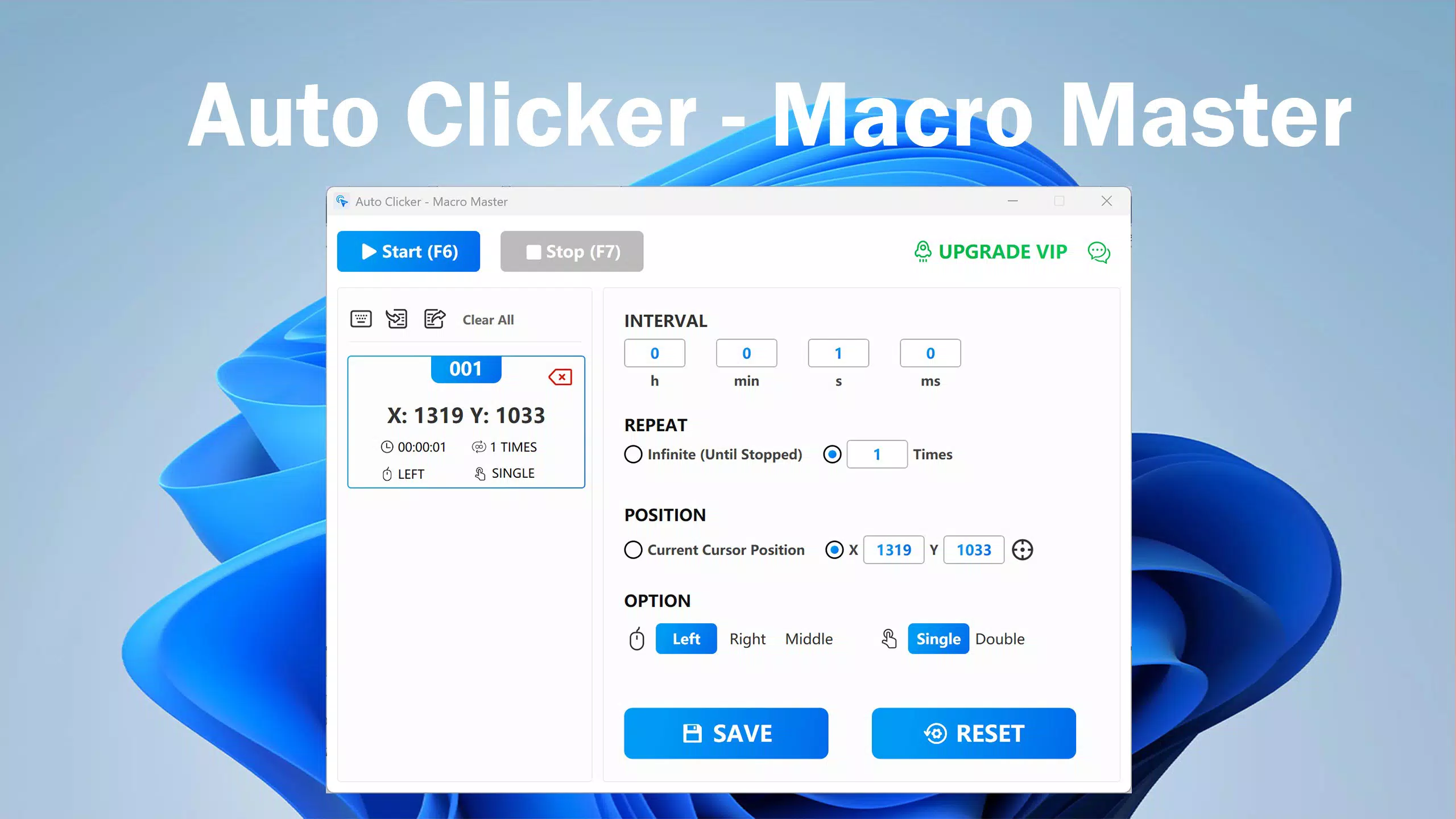
- Precise Clicks: Users can select exact screen coordinates to automate clicks with high accuracy. This feature is ideal for tasks requiring consistent positioning, such as tapping specific buttons in mobile games or filling out forms with fixed input fields.
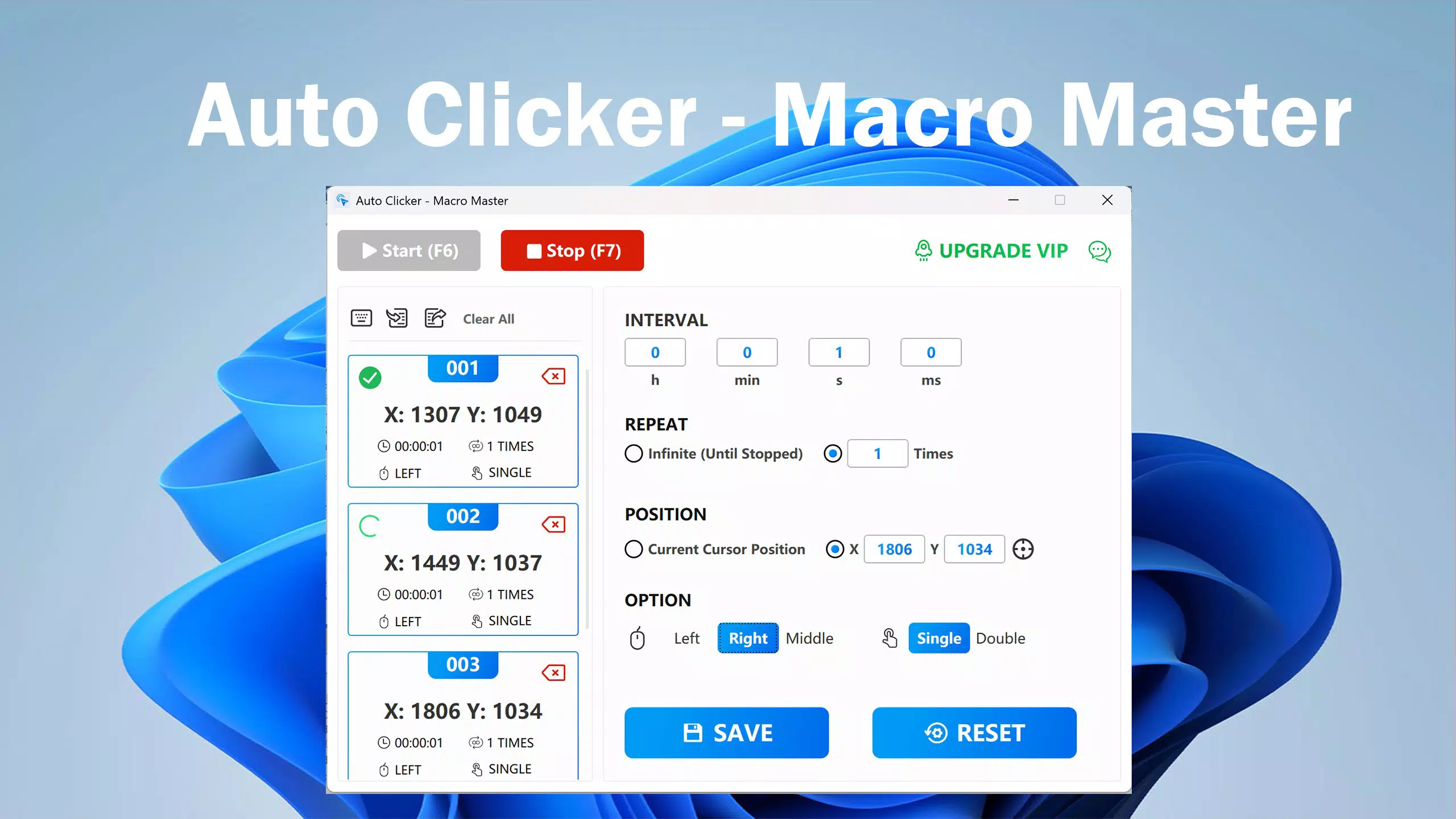
- Multi-Task Support: The app allows users to define multiple click points and assign different click counts to each. This enables complex automation sequences, such as running simultaneous actions across different areas of the screen.
- Flexible Settings: Adjustable click intervals and repetition limits give users full control over automation speed and duration. Whether rapid-fire clicks or slow, spaced-out actions are needed, the app adapts to the user’s specified parameters.
- Easy Setup: A streamlined interface simplifies the configuration process. Users can quickly define automation tasks without needing technical expertise, making it accessible to beginners while still offering depth for advanced users.
- Task Management: Custom task lists can be saved and imported, allowing for quick reuse across projects. This is especially beneficial for users who repeat the same automation workflows regularly.
For example, a user could set up a task to click a “refresh” button every 10 seconds across three different screen locations, ideal for monitoring live data feeds. Another scenario involves automating a sequence of taps in a mobile game to perform a series of actions without manual input.
Interface, UX & Performance
The app features a clean, intuitive interface that prioritizes ease of use. Navigation is straightforward, with clearly labeled controls and visual feedback during setup. The layout is optimized for touch interaction, ensuring that users can access key functions without confusion. While the developer did not list formal performance metrics, the app’s design suggests responsiveness across a range of device categories.
Users can expect smooth transitions between setup and execution modes, with minimal lag during automation. Stability appears to be a focus, as the app allows for precise control and interruption of tasks. Although the developer did not specify minimum OS requirements or performance benchmarks, the app’s lightweight nature implies efficient resource usage. Compatibility with various screen sizes and resolutions is likely, though specific details were not provided.
Platform Compatibility & Technical Requirements
Auto Clicker - Macro Master is available on Android, with a software version of 1.0. The app has a file size of 12.5 MB, making it a lightweight download suitable for devices with limited storage. The developer did not specify minimum OS requirements or compatibility details beyond the platform. As such, users should verify whether their device meets the necessary conditions for installation and operation.
Pros and Cons
Pros
- Intuitive interface suitable for both beginners and experienced users.
- High precision in click positioning for consistent automation.
- Supports multiple click points and customizable repetition settings.
- Task saving and importing features enhance workflow efficiency.
- Lightweight design with minimal storage footprint.
Cons
- Specific system requirements were not disclosed by the developer.
- Compatibility with older Android versions is not confirmed.
- Advanced automation features may require a learning curve despite the simple setup.
- No public information on permissions or background operation behavior.
- Developer transparency regarding updates and long-term support is limited.
FAQ
Is Auto Clicker - Macro Master safe to install on Android?
The app is designed to operate within standard Android permissions. However, users should ensure the source is trustworthy and avoid sideloading from unverified platforms to maintain device security.
Can I use Auto Clicker - Macro Master for gaming?
Yes, the app can automate repetitive actions in mobile games. However, users should be aware that some games may detect automation and impose restrictions or bans.
Does the app require root access?
The developer did not specify whether root access is required. Based on typical automation tools, it is likely that the app functions without root privileges.
How do I save and reuse my automation tasks?
Users can save custom task configurations and import them later for consistent use across different projects or sessions.
Is there a free version of Auto Clicker - Macro Master?
The app’s pricing information was not disclosed. Users should check the official store listing for details on availability and cost.
Final Thoughts
Auto Clicker - Macro Master presents a compelling solution for users seeking to automate repetitive touch-based tasks on Android. Its precise control, flexible settings, and user-friendly interface make it a valuable tool for both casual and power users. While some technical details remain undisclosed, the app’s functionality aligns with modern productivity demands on mobile devices.
It is especially beneficial for individuals in data entry, testing, or mobile gaming who want to reduce manual effort and improve consistency. The lightweight design and task management features further enhance its practicality. For those looking to boost efficiency without investing in complex software, this app offers a focused, effective alternative.
Download Auto Clicker - Macro Master now


